
Introduction to Modern Event Ticketing Needs
At Media Pillars, we specialize in building comprehensive, fully integrated event ticketing platforms using WordPress, WooCommerce, and Tickera. Our solutions include interactive seating charts, automated ticket delivery, QR-code-based check-in systems, and robust attendee management tools. Designed for cultural centers, SDVOSBs, nonprofits, and government contractors, these systems allow organizations to own their infrastructure, optimize operations, and create a seamless experience for attendees and staff alike.
Why Traditional Ticketing Solutions Fall Short
Using platforms like Eventbrite, Ticketmaster, or even Facebook Events may seem like the simplest path. But this simplicity often comes at a high cost — both financially and strategically. Here’s why:
1. High Fees
Most third-party platforms charge a combination of service and processing fees, which can add up to 10% or more of each ticket sold. For large events, this could mean thousands of dollars lost — money that could be reinvested in your mission.
2. Lack of Branding Control
Your attendees end up interacting with the platform’s branding instead of your organization’s. This weakens brand recall, reduces trust, and creates confusion about who is actually hosting the event.
3. Limited Customization
You often can’t configure advanced seating charts, custom registration logic, conditional pricing, or upsell flows. This restricts your ability to maximize sales and control the user experience.
4. Loss of Data Ownership
You don’t own the customer data. You can’t always download email addresses, segment audiences, or use the data for post-event marketing. That data belongs to the platform, not you.
By contrast, a self-hosted solution built on open-source tools like WordPress gives you total control — both visually and functionally — with no per-ticket or listing fees.
What a Fully Integrated Event Ticketing Website Includes
Here’s what a modern event platform built by Media Pillars typically includes:
- Professional WordPress website built with the powerful Avada theme and Fusion Builder
- WooCommerce integration to handle the e-commerce side of ticket sales
- Tickera for ticket generation, attendee registration, and QR code check-in
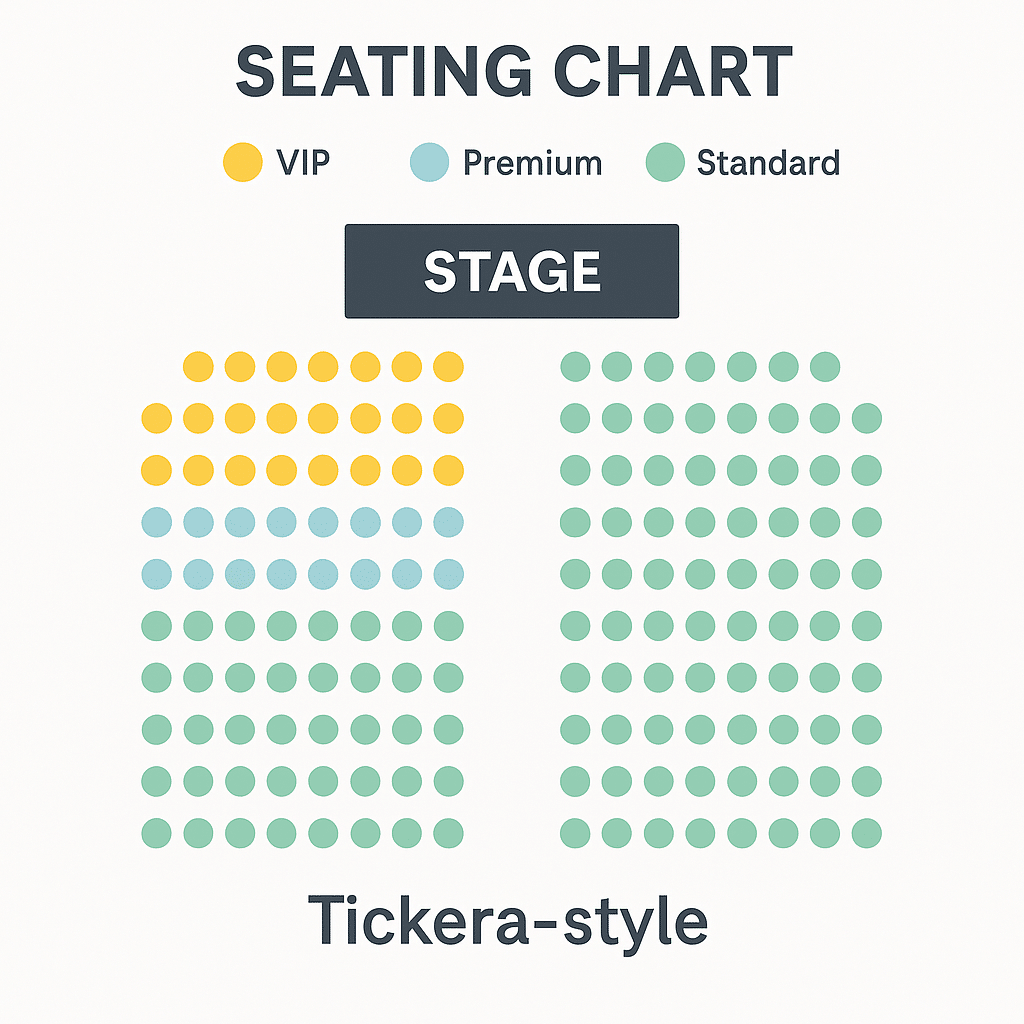
- Seat chart builder for general admission, VIP seating, reserved tables, or sectioned arenas
- Multiple ticket types with pricing logic (early bird, group discounts, upsells, donations)
- Email automation with PDF ticket attachments
- Secure online payment processing through Square, Stripe, or PayPal
- Role-based WordPress access for check-in staff, admins, and organizers
- Mobile-optimized pages and responsive seating charts
This is an enterprise-grade event system tailored to your exact event needs — and you own it.
Use Cases That Benefit From Custom Ticketing Platforms
This system works for any organization that sells tickets, tracks registrations, or needs detailed seat management. Ideal clients include:
Cultural Centers
From Irish music concerts to multicultural festivals, cultural organizations need systems that allow for multi-day schedules, reserved seating, and donations — all in one place.
Nonprofits & Fundraisers
Silent auctions, fundraising dinners, charity galas — all benefit from integrated ticketing, tax-deductible receipts, donor capture, and CRM syncing.
Veteran-Owned Businesses
Training workshops, recognition events, or regional meetups — especially for SDVOSBs, can use ticketing systems to track participants, validate access, and provide post-event resources.
Municipal and Educational Organizations
Local government events, school plays, or district-wide competitions require budget-conscious yet professional systems that are easy for volunteers and staff to manage.
Conferences and Trade Shows
Multi-tier ticket types, session schedules, breakout seating, and check-in scanning are all made possible through our integrated platforms.
Detailed Build Process – Step-by-Step Breakdown
Phase 1: Strategic Consultation and Goal Planning
We start with a deep dive into your goals, type of event, target audience, and operational needs. We map out the event flow, sales windows, refund policies, promo codes, ticket tiers, and admin access structure.
Phase 2: WordPress & Theme Setup
We install WordPress on your server, install the Avada theme, and configure global branding, fonts, and design presets to match your event or organization style. Homepage, event landing page, contact, and info pages are developed first.
Phase 3: WooCommerce Configuration
Next, we configure WooCommerce to function as your ticket sales engine. Tax settings, currency, shipping (virtual), and customer email flows are customized. Each ticket is set as a WooCommerce product — with variations for price tiers, event access levels, or bundles.
Phase 4: Tickera Setup and WooCommerce Bridge
We install Tickera and the WooCommerce Bridge, which allows seamless order-to-attendee syncing. When someone buys a ticket through WooCommerce, they become a Tickera attendee. Their ticket is auto-generated and can be checked in via QR code on event day.
Phase 5: Seating Chart Design
Using Tickera’s seat chart builder, we create sections, rows, and seats — labeled, color-coded, and priced accordingly. We assign seats to WooCommerce products and validate everything through mock orders. Seat availability updates in real-time based on ticket sales.
Phase 6: Payments, Tax & Legal Settings
You connect your existing Square or Stripe account. We help configure legal policies (refunds, data usage) and automate invoice/ticket delivery. Custom emails can include venue maps, parking info, and reminders.
Phase 7: Testing and QA
We run through test purchases, different seat selections, coupon code redemptions, and simulate check-ins using mobile apps. This ensures everything is polished before launch.
Phase 8: Launch and Training
We offer Zoom-based walkthroughs, training videos, and email-based SOPs (standard operating procedures) so your team can manage the system long-term.
Advanced Features You Can Add
- Custom Ticket Templates with event branding and seat info
- SMS Notifications to remind attendees
- Email Marketing integrations with Mailchimp, ActiveCampaign, etc.
- Donation or Add-on Products like parking, meals, or merchandise
- Event Countdown Timers and urgency-inducing banners
- Abandoned Cart Recovery to boost ticket sales
How This Impacts Revenue and Experience
Organizations that move to custom ticketing solutions typically see:
- 10–25% increase in sales due to cleaner UX and tiered pricing
- 40–60% fewer customer service inquiries thanks to automated emails and seat assignments
- Stronger attendee engagement through branded touchpoints
- Improved team coordination from role-based access and real-time attendee lists
SEO Strategy for Event Websites
Every site we build includes:
- Meta titles/descriptions with keywords like “buy tickets for [event]” and “[city] concert seating”
- Optimized image alt text (important for Google Images and accessibility)
- Semantic headers (H1 > H2 > H3)
- XML sitemaps and mobile speed optimization
- Schema markup for Events and Products
These best practices help your event site rank in local and national search, often outperforming Eventbrite pages.
Real Results: MJQ Irish Cultural Centre
For the MJQ Cultural Centre in East Durham, NY, we:
- Built a full-featured WordPress ticketing system
- Created a 400+ seat chart
- Enabled VIP, Premium, and General seating
- Integrated Square and Tickera
- Delivered mobile tickets with QR codes
- Trained staff to use check-in app at doors
The site handled hundreds of sales without a glitch, saved thousands in fees, and gave the client full control.
Final Thoughts: Build It Right the First Time
If you’re still using third-party platforms that charge per ticket or limit your flexibility, it’s time to upgrade. At Media Pillars, we build event platforms that give you power, profit, and peace of mind.
We offer:
- Full custom design
- Rapid turnarounds
- Long-term support
- Veteran-owned, mission-first values
📞 Call Frank at (518) 812-1958 📧 Email: info@mediapillars.com 🌐 Learn more: www.mediapillars.com
Media Pillars — Professional Event Websites and Ticketing Systems Built by a Certified SDVOSB.