
Static HTML Websites vs. WordPress: Which One Your Small Business Actually Needs
WordPress is losing share for the first time in 20 years, and static HTML is where it is going. Here is what static actually solves, what it costs you, and a checklist to tell which one your business needs.
WordPress site owners are paying a tax they never agreed to. It shows up as a hacked-site warning in Google during your busy season, a mobile page that takes four seconds to appear, and a monthly bill for someone to keep 20 plugins from breaking each other. That tax is why a growing number of small businesses are moving to static HTML websites, and why we moved our own site off WordPress last month.
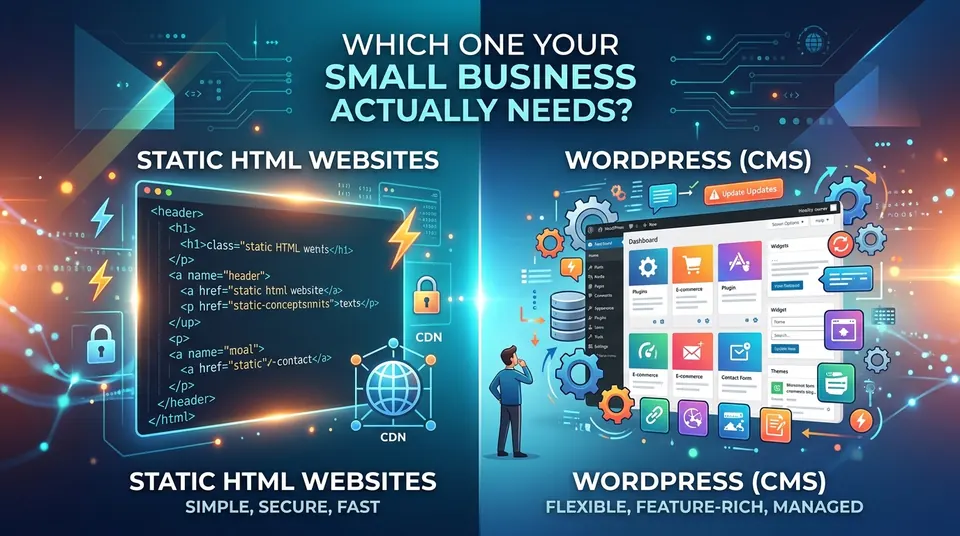
This is not a platform war. WordPress still runs roughly 41% of the web, and it does that for good reasons: it is flexible, its editor is familiar, and there is a plugin for everything. We still build and maintain WordPress sites for clients every week. This article is a decision framework: what a static HTML website for a small business actually solves, what it costs you, and how to tell which side of the line your business falls on.
The Numbers: A Real Shift, Not a Collapse
WordPress peaked at roughly 43.6% of all websites in mid-2025. As of August and September 2026 it sits at approximately 40.7 to 41.2%, according to W3Techs. That is the first sustained decline in its 20-plus year history. Among sites that use a CMS at all, WordPress's share fell from about 60.8% a year ago to roughly 59.1%.
The interesting part is where that share went. It did not go to Wix, Squarespace or Shopify. W3Techs' "no detectable CMS" category, which is largely static and custom-built sites, grew from 28.6% in December 2025 to 30.4% by July 30, 2026. Businesses are not switching to a different CMS. They are leaving the CMS model.
Headless CMS platforms such as Contentful, Sanity and Strapi doubled their combined share from 2.8% to 5.6% over twelve months. Still a small, enterprise-heavy slice, but pointing the same direction.
The security numbers behind the shift
Over 11,000 WordPress security vulnerabilities were disclosed in 2025. Plugins account for roughly 95% of them. In 2025, 31% of hacked WordPress sites were traced to outdated plugins, and roughly 7.5% of WordPress installs still run outdated core versions, which is millions of sites sitting on known holes.
The takeaway: WordPress is not dying, but for the first time businesses have a credible reason to leave it, and the data shows they are starting to.
Why It's Happening: Four Drivers
1. Security surface area
A typical small-business WordPress site runs 15 to 30 plugins, each a separate piece of software with its own bugs and update schedule. Every plugin is a door. Every admin login is a door. The database behind it is a vault with a door. A static site has none of them, because nothing runs on the server to exploit.
2. Speed and Core Web Vitals
A typical WordPress page executes 50 to 100 database queries before the visitor sees anything; plugin-heavy sites can hit thousands. A static page executes zero. Caching plugins like WP Rocket narrow the gap, and we configure them on every WordPress site we manage, but a cache is a workaround for work a static site never does.
3. The maintenance burden
Core, theme and plugin updates, PHP upgrades, backup checks, malware scans, and the update that breaks the layout on a Tuesday. On a well-run site a care plan handles it monthly. On a neglected site it is why 31% of hacks happen. Either way it is recurring cost and attention.
4. AI-assisted builds changed the economics
This is the newer driver most articles miss. Small businesses defaulted to WordPress templates because a custom hand-coded site cost several times more and took months. AI-assisted development has collapsed that cost and timeline; we now deliver a five-page custom static site for $997, live in about two weeks. When custom is cheaper than a template plus plugins plus a care plan, the reason to default to a CMS disappears.
The takeaway: the reasons to leave WordPress were always there; what changed is that leaving became cheap.
Getting Found: What Static Changes and What It Doesn't
How pre-rendered pages affect crawling and indexing
A static page is served from a content delivery network, a global set of servers that each hold a copy of your site. When a visitor or crawler asks for a page, the nearest server sends the finished HTML immediately. No PHP runs, no database is queried, no server round trip happens.
Googlebot works on a crawl budget, a limited amount of time per visit. Pages that respond in 100 milliseconds get crawled more thoroughly and more often than pages that take 1.5 seconds. On a 10-page site that barely matters; on a 60-page site with service and town pages, new and updated pages get indexed sooner and fewer get skipped.
Core Web Vitals: the actual thresholds
Google grades every site on three field metrics, measured at the 75th percentile of real visitors, not lab tests. Largest Contentful Paint (LCP), how long until the main content appears, must be 2.5 seconds or under. Interaction to Next Paint (INP), how quickly the page responds to a tap, must be 200 milliseconds or under. Cumulative Layout Shift (CLS), how much the page jumps around while loading, must be under 0.1.
A static site passes these by construction: no server processing to delay LCP, minimal JavaScript to delay INP, no plugins injecting elements late to cause CLS. A WordPress site can pass all three, and ours did, but it passes by tuning and keeps passing only as long as someone maintains the tuning.
| Metric | Google's threshold | Untuned WordPress | Tuned WordPress (WP Rocket, optimized images) | Static HTML |
|---|---|---|---|---|
| LCP (main content visible) | ≤ 2.5 s | 3–6 s on mobile | 1.5–2.5 s | Under 1 s |
| INP (responds to a tap) | ≤ 200 ms | 200–500 ms | 100–200 ms | Under 100 ms |
| CLS (layout stability) | < 0.1 | 0.1–0.3 | Under 0.1 | Near 0 |
| Database queries per page | — | 50–100+ | 50–100 (served from cache) | 0 |
| Mobile PageSpeed score | — | 30–60 | 70–90 | 95–100 |
WordPress ranges are our field observations across client sites and are illustrative; the Google thresholds are exact.
AI search visibility: why static output is natively readable
ChatGPT, Perplexity, Gemini and Google's AI Overviews and AI Mode are now a real source of local business recommendations. Their crawlers parse server-rendered HTML reliably and handle JavaScript-dependent content poorly or not at all, because rendering JavaScript is expensive and most AI crawlers skip it. If your key content is assembled in the browser by a script, an AI assistant may see an empty page.
Static output is plain HTML from the first byte, which is the foundation for AI search visibility. On top of it sit four things every site should have regardless of platform. An llms.txt file gives AI crawlers a plain-text index of your pages. Clean semantic HTML, meaning one H1, logical H2 and H3 headings and real paragraphs instead of nested layout divs, lets a model understand what a page is about. Schema markup (LocalBusiness, Service, FAQPage and BreadcrumbList) states your facts in machine-readable form so assistants can verify them. Answer-shaped content, where each section opens with a direct, quotable answer, is what gets cited.
We do all four on WordPress with Rank Math Pro. On a static site they are simply part of the file.
The honest counterweight
Static does not rank better. Read that twice, because every static-site pitch implies otherwise. Static removes technical friction. That is worth doing. It is not what ranks a page.
Content quality, topical depth, a maintained Google Business Profile, review volume and recency, consistent citations across directories, and local relevance do the actual ranking work. A fast site with five thin pages loses to a slower site with 40 pages of real, specific content every time. That is the premise of our Local SEO & AI Search Optimization program, and it applies identically to both architectures.
What you lose without a CMS workflow
WordPress gives you an editorial pipeline for free: log in, write, publish. A static site gives you nothing of the kind, so publishing cadence depends on a defined process, and a stale blog is a ranking problem no architecture fixes.
Decide the process before the migration. It is one of three things: you send changes to your care plan (our Fast Static Site's Hosting & Care plan includes one change a month, done for you), you add a lightweight editing layer covered below, or you accept the site is a brochure and put your publishing energy into Google Business Profile posts and reviews.
The takeaway: static gives you the technical foundation to be found, but content, reviews and your Google Business Profile still do the finding.
Security: The Honest Version
What removing PHP and the database actually eliminates
A static site has no PHP execution and no database. That eliminates the most common WordPress attack vectors outright, not by hardening them but by making them impossible. No SQL injection against a database that does not exist. No plugin exploit chain, because there are no plugins. No login page to brute force, no admin account to phish, no upload handler to slip a web shell through.
We have cleaned WordPress sites reinfected weekly from a backdoor in a theme file. That problem does not exist on a static site. You can leave a static site alone for six months and come back to it still secure. You cannot do that with WordPress.
Near-zero server-side risk is not zero risk
Anyone who tells you a static site is unhackable is selling something. The attack surface moves to the edges: form handlers and serverless endpoints that accept unvalidated input; third-party embeds and tracking scripts (chat, review widgets, analytics) that run someone else's code on your page; a compromised build pipeline or code repository that pushes altered files live; DNS and registrar accounts that can be hijacked; and the hosting or CDN credentials that are the master key.
A short hardening checklist for a static site
- Two-factor authentication on registrar, DNS, hosting/CDN and repository accounts, with recovery codes stored offline.
- Registrar lock on the domain, tied to an email that is not your public business address.
- Forms routed through a service with spam filtering and rate limiting, never a hand-rolled script with an open endpoint.
- Security headers and a Content Security Policy that limit which third-party scripts can load.
- A quarterly review of every embedded script: if you cannot name what it does, remove it.
- Off-site copies of the full site files after every change, so recovery is a re-upload.
The takeaway: static removes the attack surface that gets small businesses hacked in practice, but the accounts around the site still need to be locked down.
The Honest Cons
Static is the wrong answer for a lot of businesses. Do not skim this section.
No self-service editing without an added CMS layer. Out of the box, changing a phone number means someone edits a file and redeploys.
Every content change requires a rebuild and deploy. Even with an editing layer, a change goes live only after the site rebuilds: seconds to a couple of minutes, fine for a menu update, unacceptable for a newsroom.
Dynamic functionality needs bolt-ons or a different platform. Real inventory, memberships, logged-in portals, complex e-commerce and real-time data require third-party services or serverless functions, each a dependency you did not have with one WordPress plugin.
E-commerce beyond a handful of products belongs on Shopify or a headless commerce backend, which is why our E-Commerce Store builds are not static.
Plugin conveniences must be re-solved. Comments, native search, forms, galleries and event calendars each need an external service: they work well, but they are separate accounts and bills.
Migration risk is real. Redirects, URL structure, titles, descriptions and schema must be preserved exactly or rankings drop. This is the most common way a static migration goes wrong, and it has nothing to do with the architecture.
Vendor and developer dependency. A static site is only as maintainable as the person who built it and the documentation left behind. Insist on the full source files and a written record of how it deploys. Every site we build ships as a folder you own that runs on any host.
| Need | WordPress | Static HTML |
|---|---|---|
| Owner edits pages without a developer | Built in | Editing layer (Decap, Sveltia, Sanity) or a care plan |
| Blog with weekly posts by staff | Built in | Possible with an editing layer; awkward without |
| Contact and quote forms | Plugin | External form service; works equally well |
| Booking, chat, missed-call text-back | Plugin or embed | Same embeds; no difference |
| Live Google reviews (Trust Index) | Plugin | Same embed; no difference |
| Store with 5 or fewer products | WooCommerce | Embedded checkout |
| Store with a real catalog | WooCommerce or Shopify | Shopify or headless commerce, not static |
| Memberships, portals, real-time data | Plugins | Serverless functions or a different platform |
| Security maintenance | Monthly, ongoing | Account hygiene only |
| Typical mobile PageSpeed | 70–90 when tuned | 95–100 |
The takeaway: static trades ongoing maintenance for upfront rigidity, and whether that trade pays depends entirely on how often your site changes.
The Decision Framework: Segment by Change Frequency, Not Company Size
Choose by how often your site actually changes, not by company size or budget, because every tradeoff above hinges on that one variable.
Tier 1: Rarely or never changes content
A few edits a year: hours, a price, a staff photo, a seasonal note. This describes most brochure sites, service businesses, contractors, professional practices and restaurants with stable menus. Static HTML is the clear win. You get the speed, security and near-zero maintenance, and you give up an editor you were never going to use. This is who our Fast Static Site is for: five pages, $997 one time, plus $150 a month for Static Site Care, which covers global CDN hosting, monitoring, foundational SEO and AI-search upkeep, and one change a month done for you.
Tier 2: Changes content occasionally, and the owner wants to log in
You update a few times a month and want to do it yourself. The answer is a static front end plus a controlled editing layer, in one of two flavors.
A Git-based editor such as Decap or Sveltia is free: you log in, edit a page in a simple form, the change is saved to the site's code repository, and the site rebuilds. A hosted headless CMS such as Sanity or Storyblok is paid: a nicer editor, better image handling, previews and roles, in exchange for a monthly bill and another vendor.
The real benefit of either: the editable fields are defined in advance. You can change text and swap images, but you cannot break the layout, delete the header or drop a 4 MB photo into the hero. The biggest support problem with WordPress page builders disappears.
Webflow deserves an honest mention. It gives visual control with hosting included and suits owners who want to design as well as edit. The tradeoffs are per-seat pricing and platform lock-in: your site lives on Webflow and does not export cleanly to any host.
Tier 3: Changes content constantly
Large teams, frequent staff photos and bios, an active blog, events, memberships, or a real store. Stay on well-maintained, hardened WordPress. Recommending a static site here would be malpractice, and we would not do it. The right answer is a WordPress Website or Business Growth Website build, kept healthy on an Essential Care or Performance Care plan, and sped up with Speed Optimization if it has grown heavy.
Self-assessment checklist
Count your yes answers in each group.
Static HTML fits if:
- You changed your site fewer than six times in the last year.
- Your services, towns and hours are stable.
- You have been hacked, or you worry about it.
- Your mobile PageSpeed score is under 70 and it bothers you.
- You would rather text one change a month to someone than log in yourself.
- You sell services, not a catalog of products.
Static plus an editing layer fits if:
- You post a few updates a month and want to do it yourself.
- You have broken your own layout in a page builder more than once.
- You want speed and security but cannot wait on a developer for small edits.
- You can accept a two-minute delay between saving and going live.
Stay on WordPress if:
- Multiple staff members edit the site.
- You publish posts, events or offers weekly.
- You sell more than a handful of products online.
- You need memberships, customer logins or real-time data.
- You have 20-plus pages now and more coming every month.
Mostly yes in the first group: go static. Mostly yes in the second: static with an editing layer. Any yes in the third: stay on WordPress and maintain it properly. Not sure? The chat on this site will ask five questions and point you to the right build.
The takeaway: choose by how often your site changes, and if you are honest about that number the decision makes itself.
What a WordPress to Static Migration Actually Involves
A migration done right is boring. Done wrong, it is the fastest way to lose rankings you spent years earning. The sequence:
Audit and content inventory. Every URL is listed with its traffic, rankings and purpose. Pages that earn nothing are consolidated; pages that rank are protected. You will be asked which pages still matter.
URL and redirect mapping. Every old URL gets a destination on the new site, ideally the same URL; where it changes, a 301 redirect is written. Titles and descriptions carry over verbatim for any page that ranks. Not optional.
Design rebuild into static templates. One template per page type, clean headings, optimized images, fonts served from your own domain. Thin copy gets rewritten, because a migration is the cheapest moment to fix content.
Forms and integrations re-wired. Contact forms, booking, chat, missed-call text-back, live reviews and analytics are reconnected through embeds and external services. On our builds these run through the same front-office system as our WordPress sites.
Schema and metadata carryover. LocalBusiness, Service, FAQPage and BreadcrumbList schema is written into each page, with an llms.txt and a sitemap. If the old site had schema through Rank Math, it is reproduced; if not, it gets added here.
Staging review, DNS cutover and monitoring. You review the complete site on a staging link. DNS is switched, redirects are tested live, the sitemap goes to Search Console, and indexation is watched for 30 days.
Realistic expectations: a five-page static site takes about two weeks from interview to launch; a larger migration with redirects and rewrites takes four to eight weeks. From you, plan on a 30-minute interview, a few rounds of review, and sending photos and logo files early. Rankings typically hold through a mapped migration and improve over two to three months as Core Web Vitals field data accumulates. If your site is hacked or held by a former developer, Website Rescue handles cleanup and access recovery first, quoted separately.
The takeaway: the architecture is the easy part of a migration; the redirect map and the content are what protect your rankings.
Which Side of the Line Are You On?
WordPress is the right platform for a business that changes its site constantly and has people to do it. Static HTML is the right platform for a business that wants to be found, not get hacked, and not think about its website between edits. Most local service businesses are in the second group and have been running the first group's platform by default.
Media Pillars is an NYS SDVOB-certified digital marketing agency in Granville, NY, and we build both. Our own site is static; many of our clients' sites are WordPress and will stay that way. We tell you which one you need, in writing, with a flat price, backed by our published guarantees, including 90-plus mobile PageSpeed on every new site.
Start with the free assessment: we measure your site's speed against the Core Web Vitals thresholds, check its security posture, and run the Free AI Visibility Check to see whether ChatGPT, Perplexity and Gemini recommend your business or a competitor. You get the numbers and a recommendation on which architecture fits, whether or not you hire us to build it.
Frequently asked questions
Is a static HTML website good for a small business?
Yes, for a small business whose site changes only a few times a year. A static site loads in under a second, has no database or plugins to hack, and needs almost no maintenance. It is the wrong choice for businesses that publish weekly, sell a product catalog, or need staff to edit pages themselves.
Is WordPress still safe to use in 2026?
Yes, when it is maintained. Over 11,000 WordPress vulnerabilities were disclosed in 2025 and roughly 95% were in plugins, so the risk is concentrated in outdated add-ons. A WordPress site with few plugins, prompt updates, a firewall and a monthly care plan is safe; one nobody watches is not.
Does a static website rank better on Google than WordPress?
No, not by itself. A static site removes technical friction such as slow server response and render-blocking scripts, which helps Core Web Vitals and crawl efficiency. Rankings still come from content depth, reviews, your Google Business Profile and local relevance. A fast site with thin content loses to a slower site with real content.
What is the best WordPress alternative for a small business website?
For a service business that rarely updates its site, a static HTML website is the strongest alternative: faster, more secure and cheaper to keep. For owners who want to edit occasionally, pair static with a Git-based editor such as Decap or a hosted CMS such as Sanity. Webflow suits owners who want visual control and accept lock-in.
Can I update a static website myself?
Only with an editing layer added. A plain static site is changed by editing files and redeploying, which a care plan handles for you. Adding a Git-based editor (Decap, Sveltia) or a hosted headless CMS (Sanity, Storyblok) gives you a login where you can change text and images without being able to break the layout.
How much does it cost to move from WordPress to a static site?
Our Fast Static Site is $997 one time for five pages, plus $150 a month for hosting, monitoring, SEO and AI foundations, and one change a month. Extra pages are $197 each. Larger migrations with redirect mapping and content rewrites are quoted flat, in writing, after a free assessment. If the site is hacked, cleanup is quoted separately from $997.
Will I lose my Google rankings if I switch from WordPress to static?
Not if every old URL is mapped to its new home with 301 redirects and titles, descriptions and schema are preserved. Rankings typically hold through a mapped migration and improve over two to three months as faster Core Web Vitals data accumulates. Skipping the redirect map is how migrations lose rankings, on any platform.
Do AI assistants like ChatGPT read static websites better?
Yes. AI crawlers parse server-rendered HTML reliably and handle JavaScript-generated content poorly or not at all. A static site delivers complete HTML in the first response, so answer engines see everything. Adding an llms.txt file, clean heading structure and LocalBusiness, Service and FAQPage schema makes the content easier to cite.
Does ChatGPT recommend your business — or your competitor?
Free 30-second check on ChatGPT, Perplexity and Gemini. Your score on screen, a PDF report in your inbox, and the exact fix.
See it answer a call before you decide
Call or text the AI line, or chat right here. It will book your 15-minute walkthrough on its own — that's the demo.